Reporting
If you encounter behaviour or content that violates our community guidelines, you can report it directly in the app. Reports are reviewed by our moderation team and we take appropriate action when a violation is confirmed.
What you can report
Section titled “What you can report”- Profiles — inappropriate photos, fake or AI-generated pictures, impersonation, nudity, hate speech, or spam
- Messages — harassment, inappropriate content, nudity, hate speech, or spam
How to report a profile
Section titled “How to report a profile”-
Open the user’s profile
Tap on the user’s profile card to view their full profile.
-
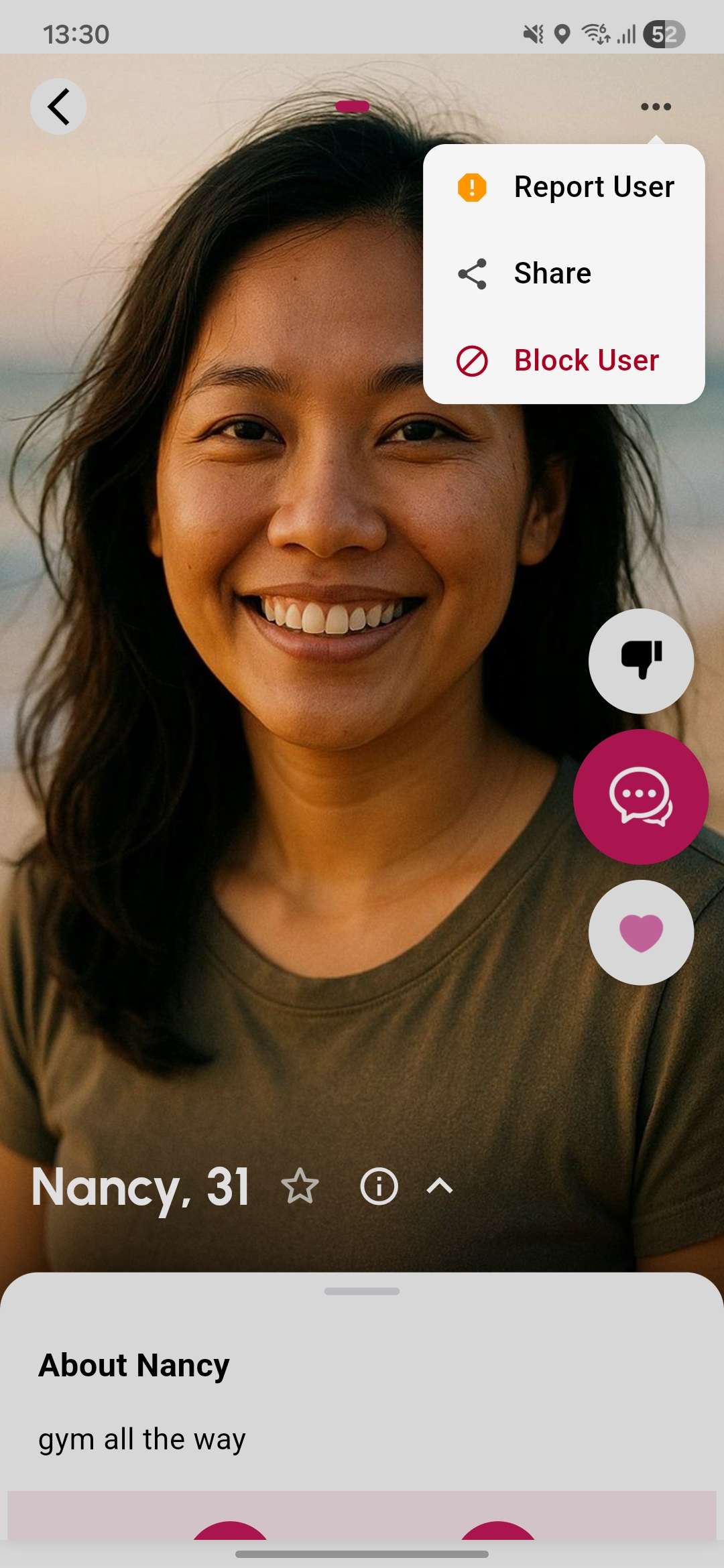
Open the actions menu
Tap the menu icon (⋮) in the top-right corner.
-
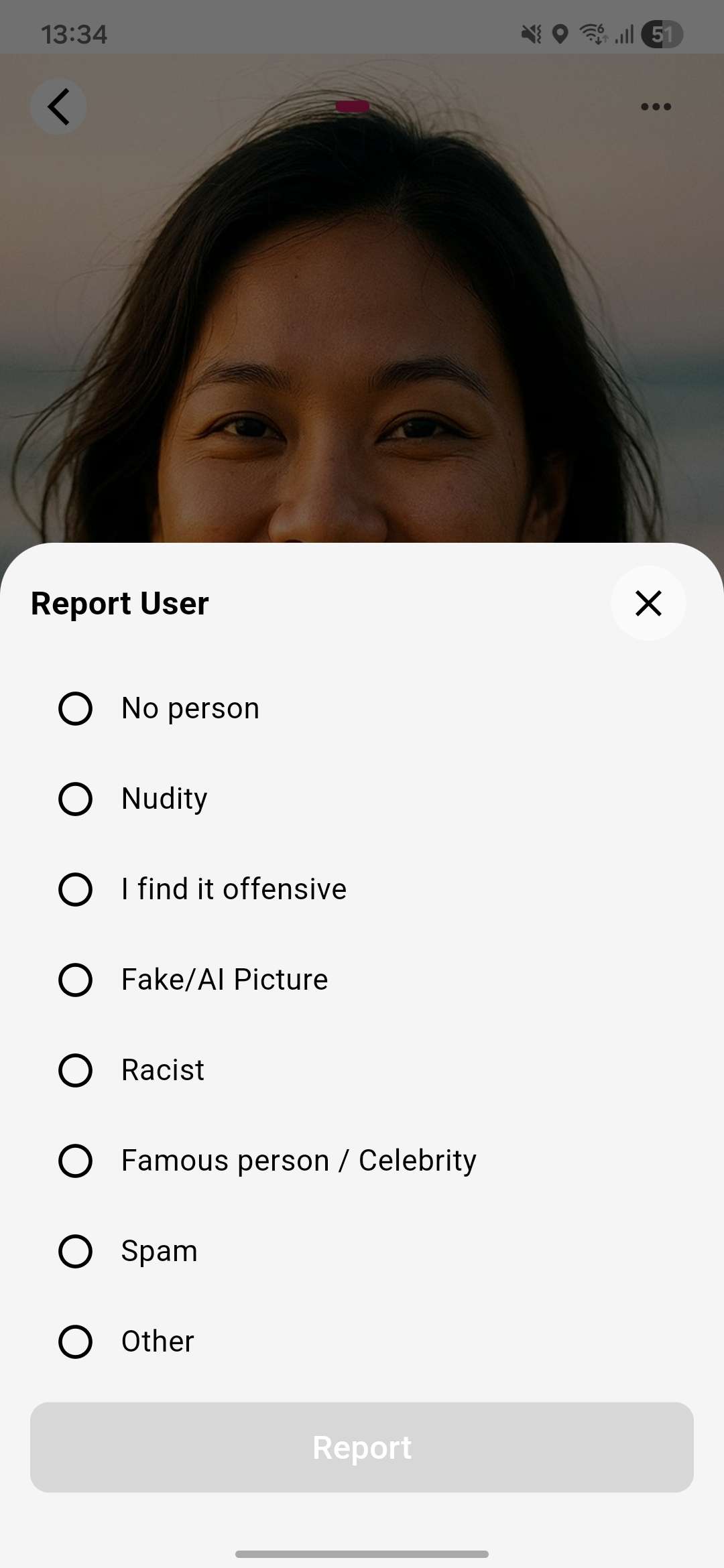
Tap Report User
Select Report User to open the report sheet.
-
Select a reason
Choose the reason that best describes the issue:
Reason Description No person The photo does not contain a real person Nudity The photo contains explicit content I find it offensive The content is offensive or inappropriate Fake/AI Picture The photo appears to be fake or AI-generated Racist The content contains racist material Famous person / Celebrity The profile is impersonating a public figure Spam The profile is spam or a scam Other Describe the issue in your own words
How to report a message
Section titled “How to report a message”-
Open the conversation
Navigate to your messages and open the chat containing the message you want to report.
-
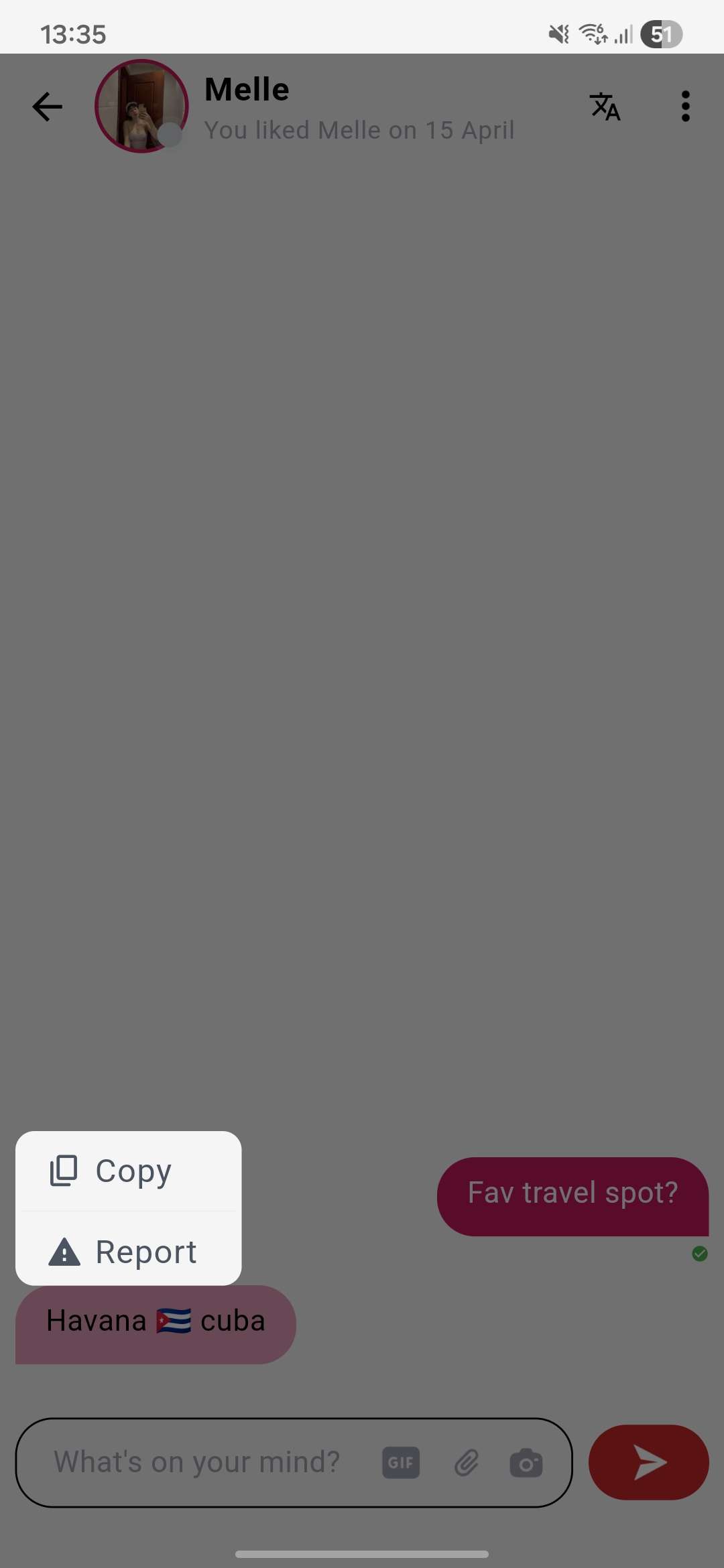
Long-press the message
Press and hold the message to reveal message options.
-
Tap Report Message
Select Report Message to open the report sheet.
-
Select a reason and submit
Choose from: Spam, Inappropriate, Harassment, Nudity, or Hate Speech — then confirm your report.
What happens after you report
Section titled “What happens after you report”- Our moderation team reviews the report
- If a rule violation is confirmed, we will ask the user to remove the content, or lock or suspend their account
- You will not be notified of the outcome to protect user privacy
- Reporting a user does not automatically block them — you can block them separately if needed