Delete Account
Deleting your account is permanent and cannot be undone. All your content, matches, messages, and profile information will be removed.
Before you delete
Section titled “Before you delete”If you’re unsure, consider reaching out to support first — we may be able to help with whatever is making you want to leave.
You do not need to change your password or cancel your subscription before deleting your account. You will be asked to confirm before deletion proceeds.
How to delete your account
Section titled “How to delete your account”-
Open Settings
Tap your profile in the navigation bar, then navigate to Privacy.
.jpg)
-
Tap Delete Account
Scroll to the Danger Zone section and tap Delete Account.
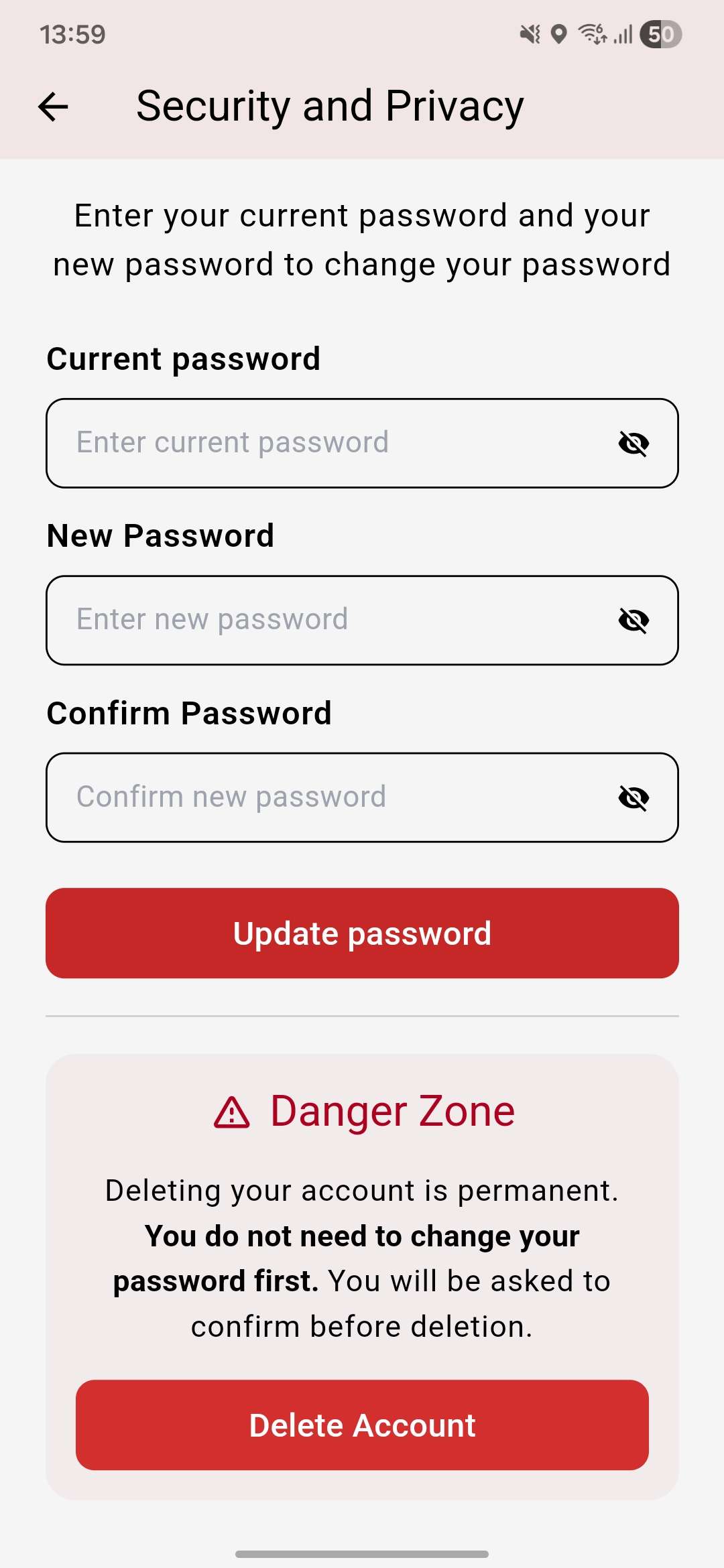
-
Confirm deletion
Type
DELETEin the text field to confirm, then tap Confirm Delete.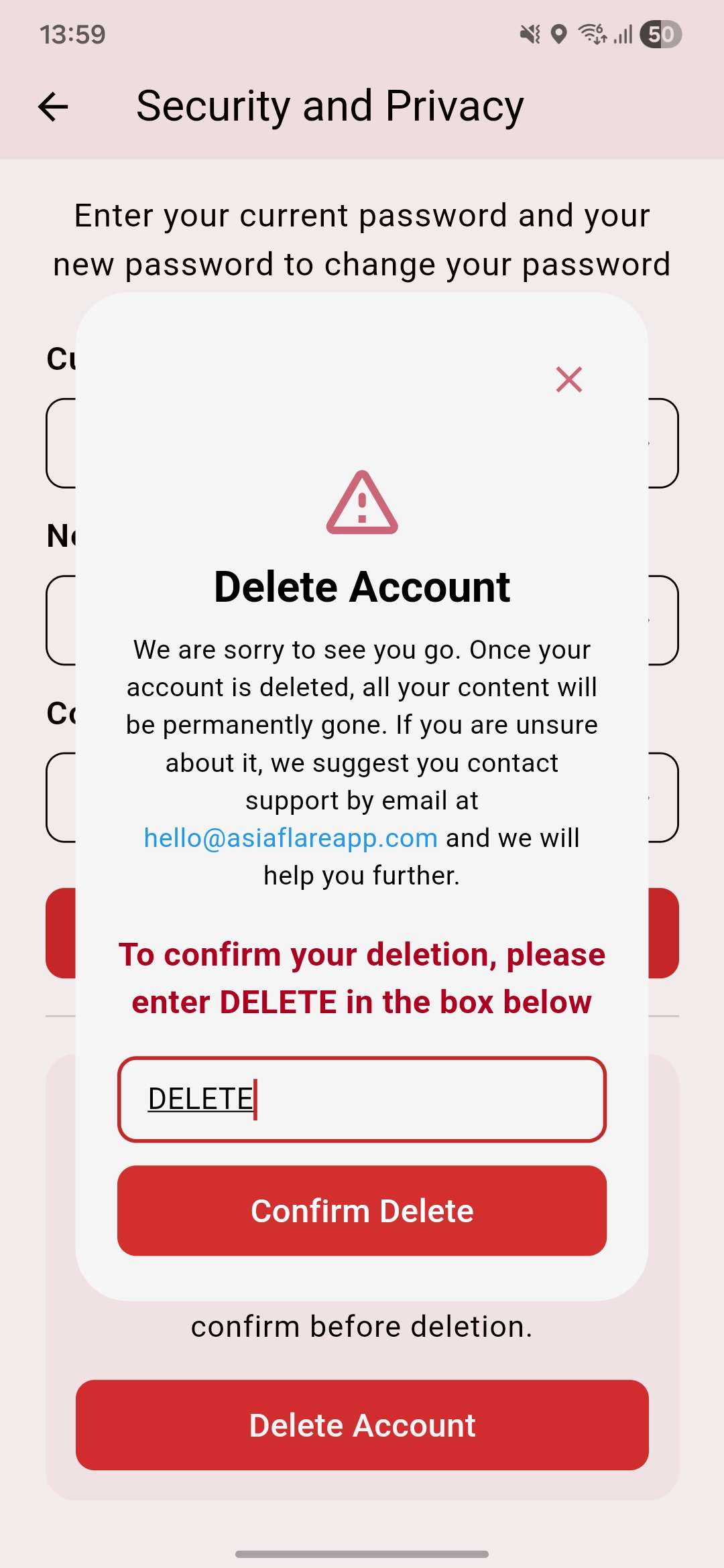
What happens after deletion
Section titled “What happens after deletion”- Your profile is immediately removed and no longer visible to other users
- All your matches and conversations are permanently deleted
- Any active subscription is not automatically cancelled — cancel it separately through the App Store or Google Play to avoid future charges
Need help?
Section titled “Need help?”Contact support before deleting if you’re experiencing an issue we might be able to resolve.